This page describes how to add UniversalSerial to a project and verify serial communication.
Install the plugin
- From the Epic Games Launcher, install UniversalSerial for the Unreal Engine version you use, to the target Engine or project.
- Launch the Unreal Editor, search for UniversalSerial under Edit → Plugins, and enable it.
- Restart the Editor if you are asked to.
The plugin directly uses the serial APIs of Windows, Mac, and Linux. No additional drivers or libraries are required.

Verify before purchase
Serial communication depends on the combination of your PC, its OS, and the connected device. Because UniversalSerial uses the OS APIs directly, it may not work properly in some environments.
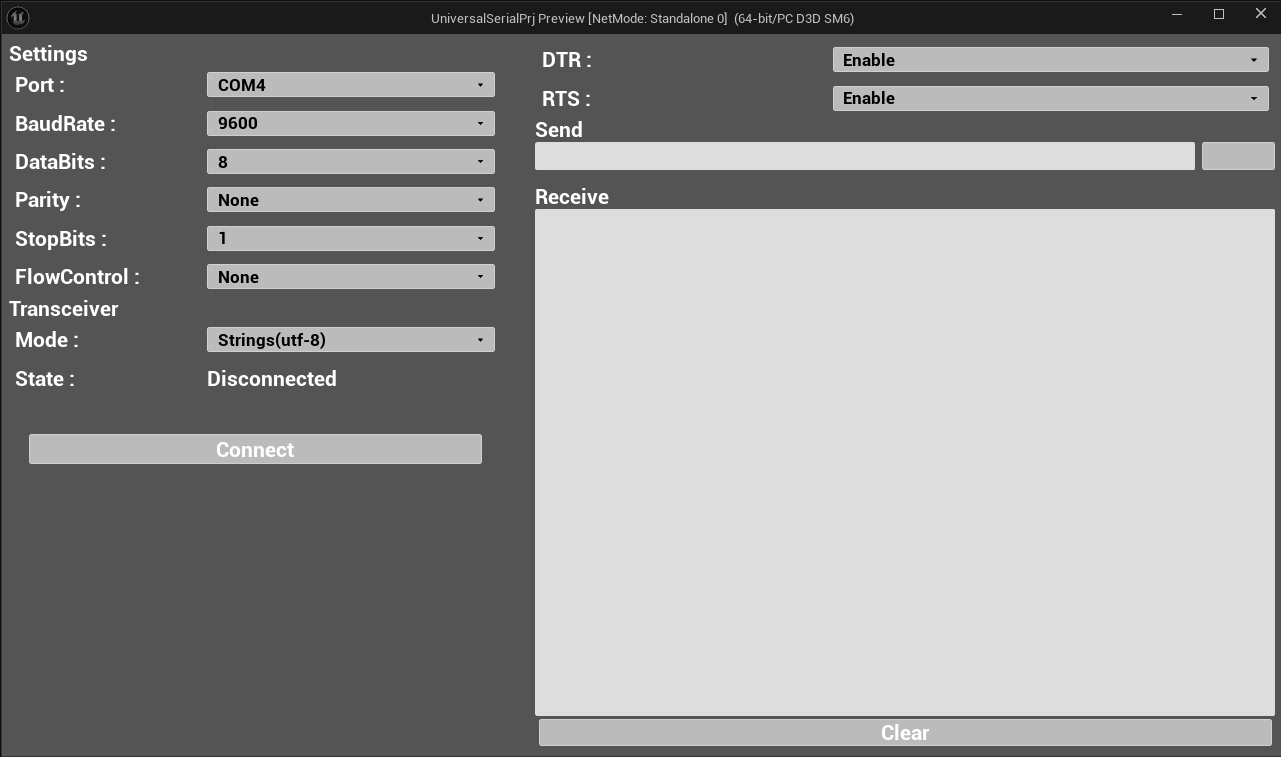
Therefore, we provide the UniversalSerial Tester application so you can try serial communication before purchasing the plugin. Windows, Mac, and Linux versions are available on the download page.
This tester app performs serial communication using the UniversalSerial plugin. If communication works with this app, communication with the plugin will most likely work as well.
The tester app is implemented entirely in Blueprint. The Blueprint is included in the plugin, so you can also review the implementation after purchase.
Open the bundled sample assets
The plugin’s Content folder includes the following assets used by the tester app implementation.
| Asset | Content |
|---|---|
UniversalSerialTester.umap | The tester app level |
UniversalSerialUMG | The tester app UI (UMG widget) |
UniversalSerialGameMode | The tester app GameMode |
UniversalSerialPlayerController | The tester app PlayerController |
To show the assets, enable Plugin Content in the Content Browser settings (the gear icon on the filter settings panel). The assets appear under the UniversalSerial folder.
The tester app’s Blueprint is a working example that implements the whole flow: listing ports, connecting, sending and receiving, and disconnecting. You can review the node layout after purchase.
Prepare an Arduino sketch
To communicate with an Arduino or other microcontroller, you need to write a program (a sketch) to the device. Use the Arduino IDE to write sketches.
The Quick Start completes a send/receive cycle with UniversalSerial using an echo sketch that returns each received line. The sketch content is listed in the prerequisites of the Quick Start.
If you communicate with a device and sketch you already have, make sure the settings passed to Initialize (such as the baud rate) match the peer device’s settings.
Next steps
- Complete a string send/receive cycle with an Arduino in the Quick Start.
- Look up node inputs and outputs in the Blueprint API Reference.