This page explains how to choose a Protocol, PacketRule, and DeliveryBox for your goal, and describes the typical use cases. For detailed inputs and outputs of each node, see the Blueprint API Reference.
Choosing a protocol
| Goal | Protocol | Notes |
|---|---|---|
| Deliver data reliably | TCP/IP server/client | Retransmission included. Choosing the division rule matters |
| Encrypt the communication | TCP/IP TLS server/client | v1.9.0 and later. Requires certificates |
| Send state every tick where some loss is acceptable | UDP sender/receiver | Fast, no retransmission. Broadcast is available |
| Connect to a web system | WebSocket client | v1.7.0 and later. wss encryption and auto-reconnect |
| Communicate fast with an app on the same PC | Shared memory | Windows only. Does not use the network |
| Keep data in a file | File writer/reader | The file remains after the app closes |
| Check event flow before implementing | Reflection | Sends to itself. For debugging |
The lifecycle is the same for every protocol: store the manager created with Create Object Deliverer Manager in a variable, pass a Protocol and a PacketRule (and optionally a DeliveryBox) to Start, receive results through the Connected/Disconnected/ReceiveData events, and call Close when finished.
Switching protocols
To change the protocol, replace only the protocol node passed to Start. Event bindings and receive handling stay as they are.
For example, to switch a TCP/IP server to a UDP sender, replace Create Protocol Tcp Ip Server with Create Protocol Udp Socket Sender.
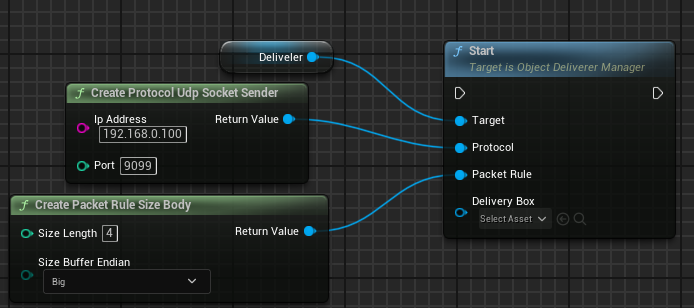
In C++:
deliverer->Start(UProtocolFactory::CreateProtocolUdpSocketSender("192.168.0.100", 9099),
                 UPacketRuleFactory::CreatePacketRuleSizeBody());
You can also create your own custom protocols.
The following sections describe each protocol.
TCP/IP server and client
This is the protocol for TCP/IP communication. TCP/IP supports one-to-many communication, so multiple clients can connect to a single server.
It includes packet retransmission, so sent messages are reliably delivered. However, when multiple packets are sent, they may arrive combined, or a single message may arrive split into parts. Because of this, we recommend a division rule other than Nodivision.
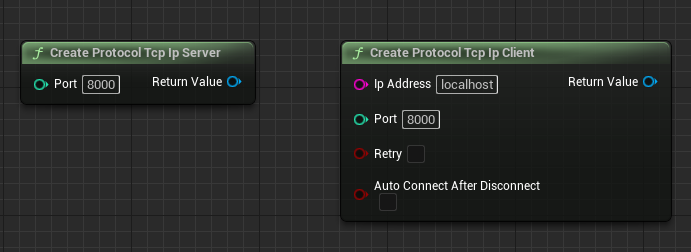
Create Protocol Tcp Ip Server
| Parameter | Description |
|---|---|
| Port | Port number for the server to listen on |
Create Protocol Tcp Ip Client
| Parameter | Description |
|---|---|
| IpAddress | IP address of the server |
| Port | Port number of the server |
| Retry | Automatically retry if connection fails |
| Auto Connect After Disconnect | Automatically attempt to reconnect when disconnected |
TCP/IP characteristics
| Item | Description |
|---|---|
| Retransmission | Yes |
| Persistent connection | Yes |
| Recommended division rules | FixedLength, Terminate, SizeBody (Nodivision is not suitable) |
| Reliability | High |
| Notes | Packets may arrive combined or split |
UDP sender and receiver
This is the protocol for UDP communication. Unlike TCP/IP, UDP sends messages unilaterally to the receiver without a connection step.
It has no packet retransmission, so packets may not arrive depending on network conditions. In return, it offers better performance than TCP/IP. It is suitable for features such as sending state every tick, where occasional packet loss is acceptable.

Create Protocol Udp Socket Sender
| Parameter | Description |
|---|---|
| IpAddress | Destination IP address |
| Port | Destination port number |
Create Protocol Udp Socket Sender with Broadcast
| Parameter | Description |
|---|---|
| IpAddress | Destination IP address |
| Port | Destination port number |
| Enable Broadcast | Enable broadcast transmission |
Create Protocol Udp Socket Receiver
| Parameter | Description |
|---|---|
| Bound Port | Port number to listen for incoming data |
UDP characteristics
| Item | Description |
|---|---|
| Retransmission | No |
| Persistent connection | No |
| Recommended division rules | Nodivision (other rules also work) |
| Notes | Packets may be lost |
WebSocket client
This is a WebSocket client that connects to WebSocket servers used by many web systems. Available since v1.7.0.
It supports encrypted communication with wss:// URLs in addition to ws://. Set Auto Reconnect enables automatic reconnection after disconnection, and Set Reconnect Delay sets the wait in seconds before reconnecting.

Create Protocol Web Socket Client
| Parameter | Description |
|---|---|
| Url | WebSocket server URL (for example, ws://localhost:8080) |
Create Protocol Web Socket Client with Protocols
| Parameter | Description |
|---|---|
| Url | WebSocket server URL |
| Protocols | List of sub-protocols |
Create Protocol Web Socket Client with Headers
| Parameter | Description |
|---|---|
| Url | WebSocket server URL |
| Protocols | List of sub-protocols |
| Headers | List of custom headers |
WebSocket characteristics
| Item | Description |
|---|---|
| Retransmission | Yes |
| Persistent connection | Yes |
| Recommended division rules | Nodivision (other rules also work) |
Shared memory
Shared memory creates a memory space shared by multiple applications, and writes and reads messages in that space.
Because it is not network communication, values can only be exchanged on the same PC. In return, it offers superior read/write speed compared to other methods, which makes it suitable for exchanging large messages.
The receiver has no way to know when data has been written, so it must periodically read the memory to check for new writes. ObjectDeliverer handles this automatically, so you normally do not need to be aware of it. When you read memory created by a third party, check which rules the other side uses.
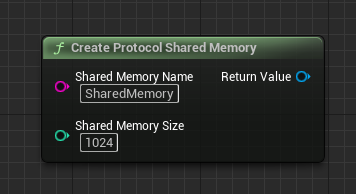
Create Protocol Shared Memory
| Parameter | Description |
|---|---|
| Shared Memory Name | Identifier for the shared memory |
| Shared Memory Size | Shared memory size in bytes |
Shared memory characteristics
| Item | Description |
|---|---|
| Retransmission | No |
| Persistent connection | No |
| Recommended division rules | FixedLength, Terminate, SizeBody (Nodivision is not suitable) |
| Notes | Windows only |
| Notes | The receiver polls, so sent values may be skipped |
File writer and reader
This protocol writes and reads messages to and from a specific file.
It behaves similarly to shared memory, but because it writes to an actual file, you can check the messages even after the application closes. It is suitable for use cases where you need to keep data.
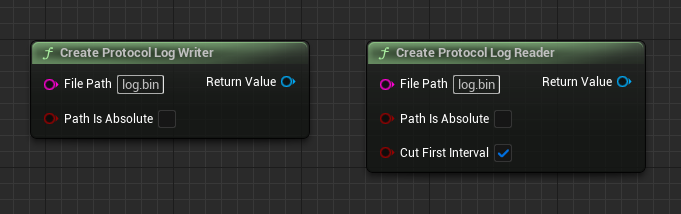
Create Protocol Log Writer
| Parameter | Description |
|---|---|
| File Path | File path to write to |
| Path Is Absolute | Whether the file path is absolute |
Create Protocol Log Reader
| Parameter | Description |
|---|---|
| File Path | File path to read from |
| Path Is Absolute | Whether the file path is absolute |
| Cut First Interval | Whether to skip the first read interval |
File characteristics
| Item | Description |
|---|---|
| Retransmission | No |
| Persistent connection | No |
| Recommended division rules | FixedLength, Terminate, SizeBody (Nodivision is not suitable) |
| Notes | The receiver polls, so sent values may be skipped |
Reflection
This protocol sends and receives messages on itself. When a message is sent, a receive event fires on the same instance. It cannot exchange messages with other instances.
It is mainly intended for debugging during development.
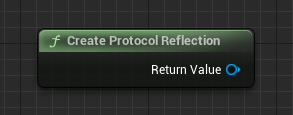
Reflection characteristics
| Item | Description |
|---|---|
| Retransmission | No |
| Persistent connection | No |
| Recommended division rules | Any |
| Notes | For debugging |
Encrypting with TLS/mTLS
This is an encrypted communication protocol that adds TLS on top of TCP/IP (v1.9.0 and later). Like plain TCP/IP it supports one-to-many communication, with encryption and certificate-based authentication.
Depending on your needs, you can choose configurations such as a self-signed certificate with public key pinning, a custom CA, or mutual TLS (mTLS). On the server side you specify the paths of the server certificate and private key files.
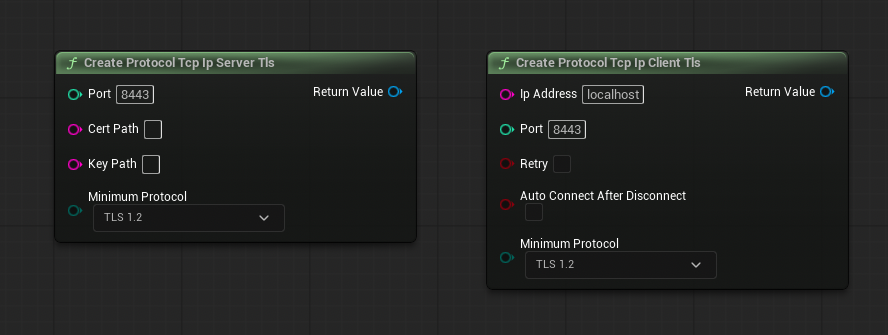
Create Protocol Tcp Ip Server Tls
| Parameter | Description |
|---|---|
| Port | Port number for the server to listen on |
| CertPath | Path to the server certificate file |
| KeyPath | Path to the server private key file |
| Minimum Protocol | Minimum TLS version (higher versions are allowed) |
Create Protocol Tcp Ip Client Tls
| Parameter | Description |
|---|---|
| IpAddress | Hostname or IP address of the server |
| Port | Port number of the server |
| Retry | Automatically retry if connection fails |
| Auto Connect After Disconnect | Automatically attempt to reconnect when disconnected |
| Minimum Protocol | Minimum TLS version (higher versions are allowed) |
TCP/IP TLS characteristics
| Item | Description |
|---|---|
| Retransmission | Yes |
| Persistent connection | Yes |
| Recommended division rules | FixedLength, Terminate, SizeBody (Nodivision is not suitable) |
| Reliability | High |
| Notes | Required options differ by certificate setup (CA/self-signed/pinning/mTLS) |
For guidance on choosing TLS options, see the FAQ: TLS options by use case. Certificate verification and the trust policy are described in Data Formats and Production.
A sample TLS server that communicates with the ObjectDeliverer TLS client is published on GitHub at AyumaxSoft/TLSServerSample.
Switching the packet fragmentation rules
Protocols such as TCP/IP may split a single message into multiple packets or combine multiple messages into one packet. ObjectDeliverer solves this with packet division rules (PacketRule).
As with protocols, you specify the rule by replacing the node passed to Start.
ObjectDeliverer supports the following rules, and you can also create your own custom rules.
- FixedLength
- Terminate
- SizeBody
- Nodivision
The sender and the receiver must use the same rule. When communicating with a third-party program, check in advance which rule it uses.
FixedLength
FixedLength divides messages with a fixed length. The packet size is fixed for every transmission, which keeps the splitting logic simple. The limitation is that messages larger than the specified size cannot be sent.
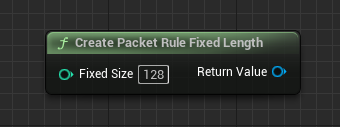
Create Packet Rule Fixed Length
| Parameter | Description |
|---|---|
| Fixed Size | Fixed packet size in bytes |
Terminate
Terminate delimits messages using a specific value as the separator. Using a newline character as the separator is a common example. Message length can change dynamically, but the terminator must be searched for on every send, which slightly reduces performance.
If Terminate is not specified, the newline codes \r(0x0d)\n(0x0a) are used.
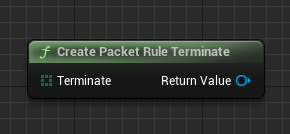
Create Packet Rule Terminate
| Parameter | Description |
|---|---|
| Terminate | Terminator sequence (delimiter). Newline codes are used when omitted |
SizeBody
SizeBody embeds the message size at the beginning of each message. Message size stays dynamic and the splitting logic is relatively simple, giving good performance.
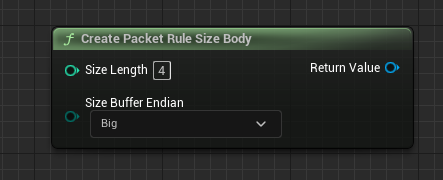
Create Packet Rule Size Body
| Parameter | Description |
|---|---|
| Size Length | Number of bytes for the size header (1, 2, 4, 8) |
| Size Buffer Endian | Endianness (Big or Little) |
Nodivision
Nodivision treats each received packet as a single message without splitting or combining.
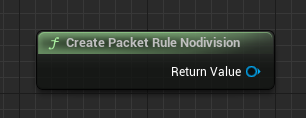
Create Packet Rule Nodivision
| Parameter | Description |
|---|---|
| None | This rule has no parameters |
Switching the DeliveryBox
By default, ObjectDeliverer sends and receives byte arrays. By specifying a DeliveryBox, you can have data converted automatically to a chosen format, so you no longer convert data to a byte array manually each time.
Note
When using a DeliveryBox, note that sending and receiving go through the DeliveryBox instead of the ObjectDelivererManager.
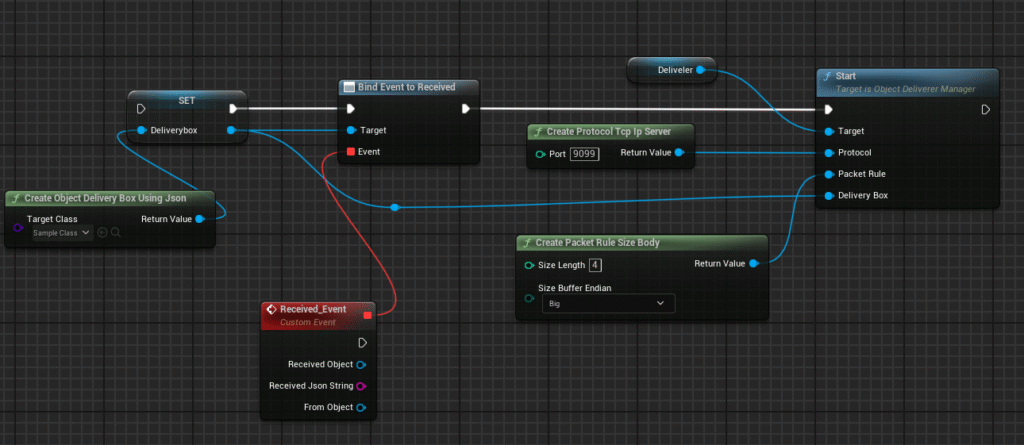
In C++:
auto deliverybox = UDeliveryBoxFactory::CreateObjectDeliveryBoxUsingJson(SampleObject::StaticClass());
deliverybox->Received.AddDynamic(this, &UMyClass::OnReceiveObject);

deliverer->Start(UProtocolFactory::CreateProtocolTcpIpServer(9099),
                 UPacketRuleFactory::CreatePacketRuleSizeBody(), deliverybox);
Sending also goes through the DeliveryBox.
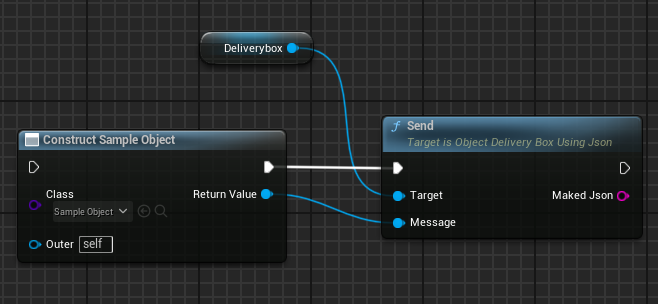
auto message = NewObject<SampleMessage>();
deliveryBox->Send(message);
ObjectDeliverer supports the following DeliveryBoxes, and you can create your own custom DeliveryBox.
- ObjectDeliveryBoxUsingJson
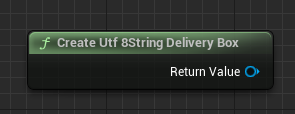
- Utf8StringDeliveryBox
ObjectDeliveryBoxUsingJson
This DeliveryBox converts any user-defined UObject class to and from a JSON string.
Every class usable in Unreal Engine inherits from UObject, so many class instances can be sent and received as they are. Exchanging messages in JSON is a common approach in other programming languages, so this also works well for communicating with other applications.
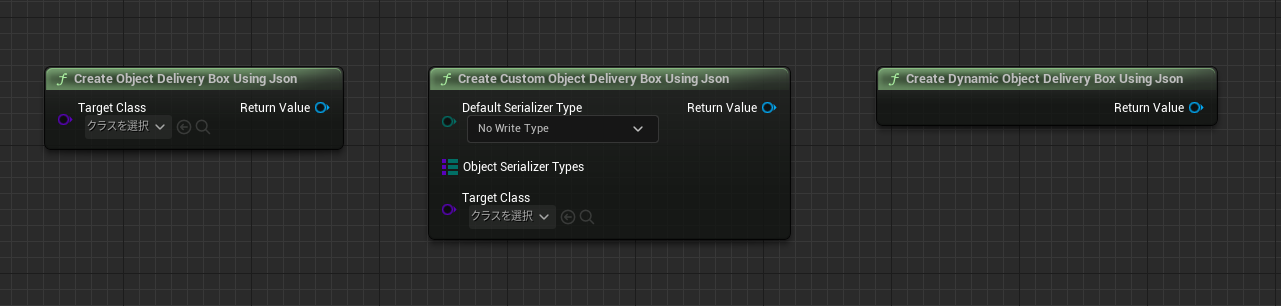
For how to choose the JSON serialization format (whether to include the class name), see the FAQ: using ObjectDeliveryBoxUsingJson.
Utf8StringDeliveryBox
This DeliveryBox sends and receives arbitrary strings as they are, using UTF-8 encoding.